Activate dashboard
The activate dashboard action opens a dashboard configured in VATSIM Radar.
Prerequisites
To use this action you must have the VATSIM Radar (next) desktop app running.
Basic configuration
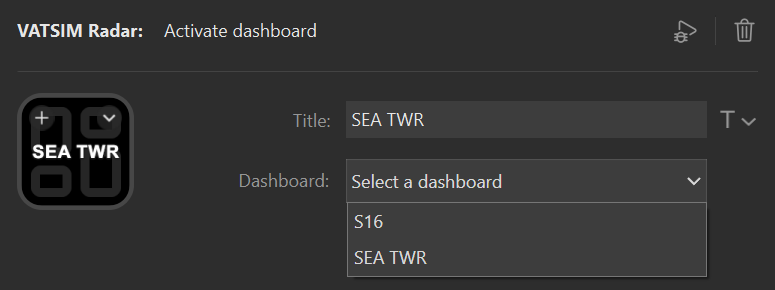
To configure the action to activate a dashboard use the following settings:
| Setting | Value | Example |
|---|---|---|
| Title | The title to show on the action, typically the name of the dashboard. | SEA TWR |
| Dashboard | The dashboard to activate. The list will display all dashboards for the user logged in to the VATSIM Radar desktop app. | SEA TWR |
Interactions
The action supports short press.
| Interaction | Description |
|---|---|
| Short press | Activates the dashboard. |
Settings reference
| Setting | Value | Example |
|---|---|---|
| Title | The title to show on the action, typically the name of the dashboard. | SEA TWR |
| Dashboard | The dashboard to activate. The list will display all dashboards for the user logged in to the VATSIM Radar desktop app. | SEA TWR |
Last updated on